
Jobber vs Housecall Pro: which should a small shop buy?
They're the two most popular field service tools for small shops, and they're genuinely close. The split comes down to one question: how do your customers find and book you?
How this page is funded: some links here are affiliate links — if you start a trial or subscribe through them, the vendor pays us a referral fee. It costs you nothing extra and QuoteIQ is our featured partner and our top pick; the order of the other tools comes from our review. Full disclosure.
Buy Jobber if you want the fastest setup, the cleanest all-round experience and predictable pricing. Buy Housecall Pro if homeowners find you on Google and you want online booking, review requests and financing included rather than bolted on.
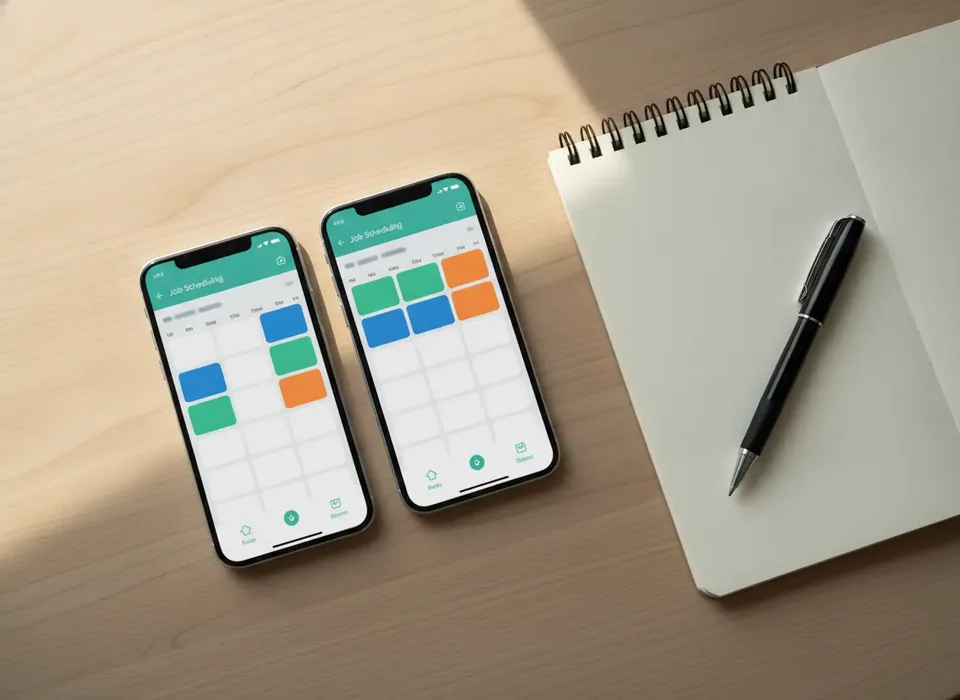
Side by side
| Jobber | Housecall Pro | |
|---|---|---|
| Starting price | $49/mo (Core) | $79/mo (Basic) |
| Users on entry plan | 1 | 1 |
| Online booking | Yes | Yes, syncs to Google |
| Reviews & campaigns | Add-on | Included on paid plans |
| Consumer financing | Via add-on | Built into checkout |
| Dispatch board | Cleanest | More features, busier |
| Setup | Self-serve, same day | Self-serve, same day |
| Free trial | 14 days | 14 days |
Where Jobber wins
Jobber is tidier. The dispatch board, the quote-to-invoice flow and the client hub are the least cluttered in the category, and for a 1–15 person shop that translates to less training and fewer mistakes. Its entry price is lower, and the "on my way" texts and review requests are strong even on lower tiers.
Where Housecall Pro wins
Housecall Pro is the better front door for homeowner work. Online booking syncs to Google, review requests and email/postcard marketing come with paid plans instead of as add-ons, and consumer financing sits inside checkout — useful for bigger-ticket jobs. It also publishes per-user pricing further up the curve.
Bottom line
Pick by your lead source. Word-of-mouth and repeat work that you book yourself: Jobber. Google and online-booking-driven homeowner work with bigger tickets: Housecall Pro. Either way, both have 14-day trials, so run your own week of jobs through each before you commit.
Pricing in detail (as of Oct 2026)
Both vendors publish their prices, which already puts them ahead of most of the category. Jobber's Core plan is $49/mo for one user; Connect starts from $139/mo and Grow from $199/mo, both covering up to 15 users. Housecall Pro's Basic plan is $79/mo for one user, Essentials is $189/mo for up to five, and Max is $329/mo for up to eight, with per-user pricing published beyond that. Extra seats run about $29/mo on Jobber and $35/mo on Housecall Pro; annual billing takes roughly 25–35% off either.
Two things the pricing pages don't shout about: the features most shops want — routing, automations, QuickBooks sync — sit on the middle tier, and card processing at ~2.6–3% per transaction will outgrow the subscription at real volume. Our cost guide walks through a year-one budget for both.
Who each one is for, by crew size
One truck
Jobber Core at $49/mo covers quotes, scheduling, invoicing and on-site payment for a solo operator, and it's the plan most one-person shops are happiest on. Housecall Pro Basic at $79/mo makes sense solo only if online booking from Google is already producing jobs. More on the solo case in our one-person shop guide.
Two to eight techs
This is where it's genuinely close. Jobber Connect gives you the cleaner dispatch board and client hub for a predictable price up to 15 users. Housecall Pro Essentials or Max bundles reviews, campaigns and financing that would be add-ons on Jobber, so if you'd buy those anyway the maths can favour Housecall Pro.
Nine to fifteen techs
Jobber's Grow plan still covers you at a published price. Housecall Pro moves to per-user pricing past eight, which stays public but adds up. Past 15 on either tool you're into custom quotes, and it's worth reading our field service software roundup for the full field.
Setup and migration
Both are self-serve: sign up, import a customer list from a spreadsheet, set services and pricing, connect payments, and dispatch the same day. Neither needs a sales call. Jobber's setup is shorter because there's less to switch on; Housecall Pro has more to walk through — booking widget, review requests, campaigns, financing — which is the price of having those included. Both offer a 14-day trial; run the same week of real jobs through each rather than clicking around a demo account.
What techs see in the field
From the truck the job is the same in both: open today's schedule, tap the job, send the "on my way" text, build the invoice from the quote, take the card, request a review. Jobber's mobile flow has fewer screens between those steps, which is why we call it the cleanest. Housecall Pro's app shows more — financing at checkout, more options per job — useful for bigger tickets and slightly more to train on.
Where neither one fits
If inbound phone calls and paid ads are your whole lead engine, neither tool does call attribution natively; both treat call tracking as an add-on. That's the case for Workiz, covered in Jobber vs Workiz. If you're past 15 techs with dedicated office staff, you're looking at ServiceTitan territory — see Housecall Pro vs ServiceTitan. And if your week is mostly quoting large project work, FieldPulse's estimating goes deeper than either; see FieldPulse vs Jobber.
Try both before you commit
Jobber vs Housecall Pro: common questions
Is Jobber or Housecall Pro cheaper?
Jobber starts lower: Core is $49/mo for one user against Housecall Pro's Basic at $79/mo. Once you add techs, Jobber seats run about $29/mo and Housecall Pro's about $35/mo past the included users. Housecall Pro bundles reviews, campaigns and financing that are add-ons on Jobber, so the gap narrows if you'd buy those anyway. Prices checked Oct 2026.
Which is better for online booking?
Housecall Pro. Its booking syncs to Google, so homeowners can book from your Business Profile, and review requests and campaigns come with paid plans. Jobber's booking link is clean and works well when you send it yourself, but if Google is your front door, Housecall Pro is built for that first touch.
Can I switch from one to the other later?
Yes. Both import customers from a spreadsheet and both let you export your data, so moving a customer list is straightforward. Job history, quotes and attachments don't transfer cleanly, which is why we suggest running your 14-day trials carefully now rather than migrating a year of records later.
Do both work with QuickBooks?
Both offer a QuickBooks Online sync, typically on a middle tier rather than the entry plan. The standard setup is to run jobs and invoicing in Jobber or Housecall Pro and sync the financials to QuickBooks for your books. Our QuickBooks guide explains why most shops end up running both.
Which one should a one-truck shop pick?
Usually Jobber Core at $49/mo. It covers quotes, scheduling, on-site payment and arrival texts, which is all a solo operator needs. Pick Housecall Pro Basic instead only if homeowner bookings from Google are already a real share of your work and you want financing at checkout for bigger tickets.
How we compare tools
We buy or trial both, run the same week of work through each, and score setup, daily friction, the customer's experience and price transparency. We re-check pricing monthly. How we make money.
Not sure which one to pick?
For most small shops our top pick is QuoteIQ — AI estimating, scheduling and invoicing on flat plans from $29.99/mo, with a 14-day free trial.